Getting your GBP suspended in 2026 is easier than ever — Google’s enforcement systems are smarter, their manual review teams are more aggressive, and the violations that used to slide are now getting caught within days.
If your GBP gets suspended, your business disappears from Google Maps and local search — and with it, the leads that keep your business running. After handling over 250 GBP suspensions with a 98% success rate, these are the five things we see getting businesses suspended right now. Some of them will surprise you.
1. Keyword Stuffing Your Business Name
This has always been against Google’s guidelines. What’s changed in 2026 is how quickly and consistently Google catches it.
Your business name field must match your real-world business name — exactly. Not your marketing name. Not what you wish your business was called. The name on your signage, your business registration, and your legal filings.
What Gets Flagged
-
- Adding your city or service area: “Mike’s HVAC — Dallas Fort Worth”
-
- Appending service descriptions: “Smith Law | Personal Injury Attorney”
-
- Including keywords: “Elite Dental — Best Dentist in Phoenix AZ”
-
- Using a tagline: “Sunrise Cleaning Co. — We Make It Shine”
Google’s automated systems now cross-reference your business name against your state registration, your website, and your other online listings. If they don’t match, you’ll get flagged. If a competitor reports you — and they will — manual review follows fast, and a GBP suspension can land within days.
What Google Wants to See
Your legal business name. Nothing more. If your registered name is “Apex Solutions LLC,” your GBP name should be “Apex Solutions” or “Apex Solutions LLC.” No keywords, no locations, no descriptions.
The temptation to stuff keywords is real — businesses that do it often rank higher in the short term. But it’s one of the fastest ways to get your Google Business Profile suspended.. But Google’s enforcement has caught up. The short-term ranking boost isn’t worth a suspension that costs you weeks of visibility and thousands in lost revenue.
2. Using a Virtual Office or Fake Address
Google’s address verification has gotten significantly more sophisticated in 2026. The era of using a Regus office, a WeWork hot desk, or a UPS Store mailbox as your business address is effectively over.
How Google Detects Fake Addresses
Google maintains databases of known virtual office providers, coworking spaces, and mailbox services. If your address matches one of these locations, a GBP suspension gets triggered automatically. But their detection goes further than a simple address lookup.
-
- Google Street View comparison: Reviewers check whether your business has visible signage at the listed address
-
- Cross-listing analysis: If multiple unrelated businesses list the same suite at the same address, all of them get scrutinized
-
- Verification patterns: If your address was previously used by a suspended listing, new listings at that address trigger extra review
-
- User reports: Customers and competitors who visit the address and don’t find your business can report the discrepancy
Service-Area Businesses Get Hit Hardest
Contractors, cleaners, mobile services, and other service-area businesses face a particular challenge. You don’t have a storefront, but Google still requires a verifiable address. Many service-area business owners use a virtual office thinking it’s a legitimate workaround — it’s not.
If you’re a service-area business, use your actual home address and set your listing to hide the address while displaying your service area. This is the Google-compliant approach. A virtual office that gets your GBP suspended is far worse than a home address that stays active.
3. Managing Multiple Listings That Look Like a Lead Gen Network
This is the suspension trigger that catches legitimate business owners off guard. If you operate multiple locations, run a franchise, or serve different service areas, Google may interpret your listing structure as a lead generation scheme — and suspend everything.
What Triggers Lead Gen Flags
-
- Multiple listings across different cities sharing the same phone number
-
- Listings at different addresses that all point to the same website
-
- Several listings in the same industry with similar names and overlapping service areas
-
- Listings created in bulk or within a short time window
-
- No visible evidence of business operations at one or more listed addresses
Why This Matters in 2026
Google has dramatically increased enforcement against lead generation networks — businesses that create fake or semi-fake listings to capture leads across multiple markets. The problem for legitimate multi-location businesses is that Google’s automated systems can’t always tell the difference — and a Google Business Profile suspended across all locations is devastating.
If you run three legitimate locations, each needs its own dedicated phone number, its own landing page on your website, and clear evidence of real operations at each address — photos, signage, staff, local reviews. Without that differentiation, your listings look exactly like a lead gen network to Google’s systems.
How to Protect Multi-Location Listings
-
- Each location gets a unique local phone number — not a tracking number, not your main office line
-
- Each location has its own page on your website with unique content, staff bios, and location-specific information
-
- Photos show distinct signage, interiors, and exteriors for each location
-
- Reviews mention the specific location by name or address
-
- Business name is consistent but doesn’t include location-specific keywords
4. AI-Generated Photos and Fake Business Images
This is a newer enforcement area that’s ramping up fast in 2026. Google is actively detecting and penalizing listings that use AI-generated images, stock photos, or images that don’t represent the actual business.
What Google Is Catching
-
- AI-generated interior or exterior photos that don’t match any real location
-
- Stock photos from image libraries used as business photos
-
- Photos from other businesses copied and uploaded to your listing
-
- Heavily manipulated images where real photos have been altered to misrepresent the business
-
- Generic or irrelevant images that don’t show the actual business location or operations
Google’s image analysis systems have improved dramatically, and a GBP suspension over fake photos is becoming increasingly common. They can compare your uploaded photos against stock photo databases, run reverse image searches, and use AI detection tools to identify generated images. They also compare your listing photos against Google Street View and user-submitted photos to check for consistency.
What Google Expects
Real photos of your real business. Exterior shots showing your signage and storefront. Interior shots showing your actual workspace. Photos of your team, your products, or your work — whatever is relevant to your business type.
The photos don’t need to be professional. A clear smartphone photo of your actual business location is infinitely better than a polished AI-generated image. Authenticity is what Google is screening for — not production quality.
5. Ignoring Listing Accuracy After Verification
Most business owners treat GBP verification as a one-time event. Get verified, set up the listing, move on. In 2026, that approach gets you suspended.
Google continuously monitors listings for accuracy. Information that was correct when you first set up your profile can become a violation if it falls out of date — and Google doesn’t send you a warning before suspending.
Common Post-Verification Accuracy Issues
-
- Business moved locations but the listing still shows the old address
-
- Phone number changed but the listing has the previous number, which now routes elsewhere or is disconnected
-
- Business hours are wrong — you changed your schedule but didn’t update the listing
-
- Business closed temporarily but the listing shows as permanently open
-
- Ownership changed but the listing still reflects the previous owner’s information
-
- Services changed but categories and descriptions haven’t been updated
Why This Triggers Suspensions Now
Google uses multiple signals to verify ongoing accuracy — user reports, phone call checks, website crawling, and comparison against other data sources. If a customer reports that your phone number doesn’t work, or Google’s systems detect that your website shows a different address than your listing, that inconsistency can trigger a GBP suspension.
The fix is simple but requires discipline: audit your listing monthly. Check your name, address, phone number, hours, categories, website, and photos. Treat your GBP like a living asset that needs maintenance — because Google does.
How to Protect Your GBP in 2026
The common thread across all five of these
suspension triggers is the same: Google wants accurate, honest listings that represent real businesses at real locations.
Monthly audit checklist:
-
- Business name matches legal registration exactly — no keywords, no taglines
-
- Address is a real, verifiable location where you operate or live (for SABs)
-
- Phone number connects directly to your business and is active
-
- Website URL matches the business name and address on your listing
-
- All photos show your actual business — no stock, no AI-generated, no borrowed images
-
- Hours and services are current
-
- No duplicate listings exist for your business
-
- Each location (if multi-location) has unique phone, landing page, and location photos
The businesses that avoid a GBP suspension aren’t the ones that never make mistakes. They’re the ones that catch and fix issues before Google does.
If your GBP has already been suspended — or if you’re not sure whether your listing is at risk — contact us for a free suspension assessment. We’ll audit your listing, identify any red flags, and tell you exactly what needs to be fixed before Google catches it.
Frequently Asked Questions
Can a competitor report my GBP and get it suspended?
Yes. Any Google user can suggest edits or report a listing through Google Maps. If a competitor reports a legitimate violation — like keywords in your business name or a fake address — Google will review it and may suspend your listing. However, Google doesn’t suspend listings based on false reports alone. They investigate the claim. The best defense is making sure your listing has no actual violations to report.
Will Google warn me before suspending my Business Profile?
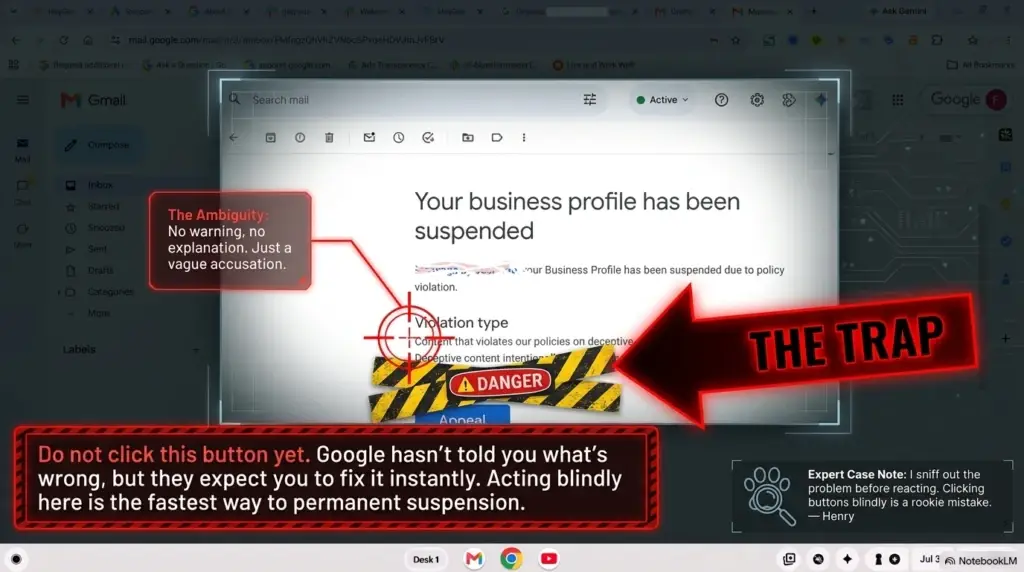
Usually not. Most businesses find their Google Business Profile suspended without prior warning. Google may send an email about a policy change or a suggested edit, but the actual suspension typically comes without a specific heads-up. This is why proactive listing audits are essential — you need to catch violations before Google’s enforcement systems do.
How often does Google update its Business Profile guidelines?
Google updates its guidelines several times per year, though major policy changes are less frequent. What changes more often is enforcement intensity — Google periodically increases automated scanning and manual review in specific violation categories. In 2026, address verification, AI-generated content detection, and name policy enforcement have all seen increased scrutiny compared to previous years.
Are service-area businesses more likely to get suspended?
Service-area businesses face a higher GBP suspension rate because their listing structure is inherently harder for Google to verify. Without a visible storefront, Google relies more heavily on address documentation, website consistency, and user reports to verify legitimacy. SABs also get caught more often in lead generation sweeps because their listing patterns can resemble lead gen networks. Extra documentation diligence is essential for any service-area business.
What should I do if I just realized my listing has a violation?
Fix it immediately. Don’t wait for Google to find it. If it’s a name policy violation, correct the name now. If you’re using a virtual office address, transition to a legitimate address. If you have AI-generated photos, replace them with real ones. Proactively correcting a violation before Google flags it avoids suspension entirely. If you’ve already been suspended, fixing the violation is the essential first step before
filing your reinstatement appeal.
Google’s Business Profile guidelines
Google’s name policy