Google Business Profile Suspension Help
Google Business Profile suspension help should start before you submit an appeal.
If your Google Business Profile has been suspended or disabled, making random changes or immediately filing an appeal can make the situation harder to understand.
The better approach is to determine what Google is questioning, compare your profile with current Google Business Profile guidelines, correct confirmed compliance issues, and prepare evidence that supports your business.
GBP Suspensions helps business owners evaluate suspended profiles, identify possible compliance problems, prepare supporting evidence, and determine the strongest compliant path toward reinstatement.
What Does a Google Business Profile Suspension Mean?
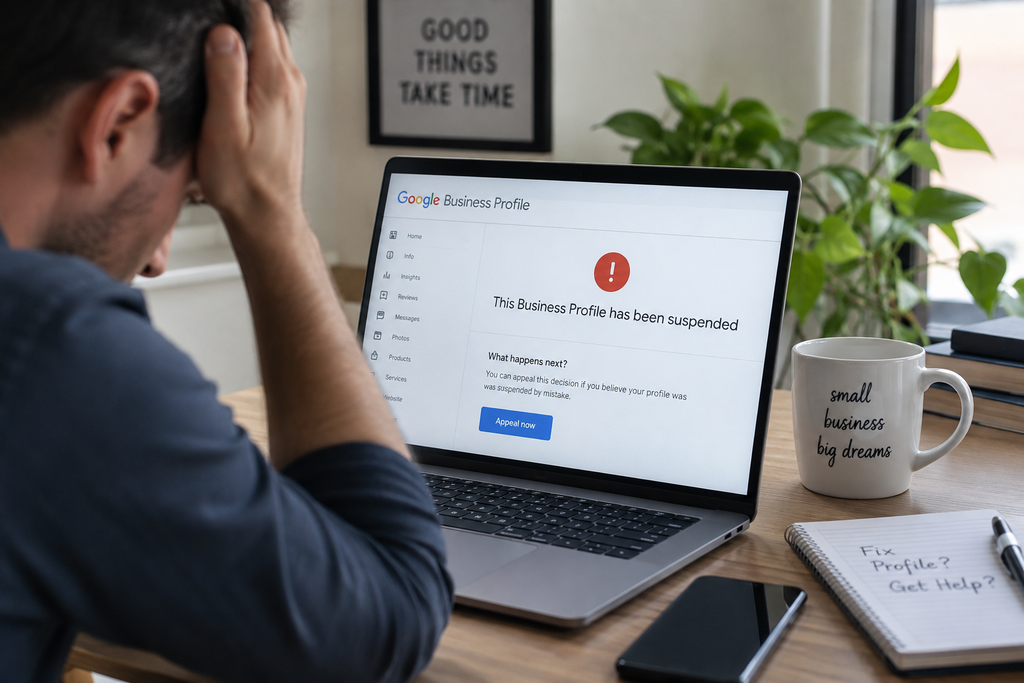
A Google Business Profile suspension means Google has restricted or removed the profile because it believes the profile may not comply with its guidelines.
Depending on the restriction, customers may no longer see the profile normally in Google Search or Maps, and owners or managers may lose the ability to manage it.
A suspension does not always tell you exactly what caused the problem.
That is why proper Google Business Profile suspension help should begin with reviewing the actual profile and evidence instead of guessing.
Why Did Google Suspend My Business Profile?
There is no single cause of every GBP suspension.
Possible areas that should be reviewed include:
- Business name
- Address
- Service-area settings
- Primary and secondary categories
- Business eligibility
- Duplicate profiles
- Website information
- Phone number
- Ownership or management access
- Location type
- Verification history
- Whether customers actually visit the stated location
A possible issue is not automatically the confirmed cause of a suspension.
For example, a recent category change may have happened shortly before a suspension, but timing alone does not prove that the category caused it.
The same applies to review activity, address differences, edits, coworking locations, or verification requests.
Google Business Profile Suspension Help Starts With a Compliance Review
Before submitting an appeal, review the entire Business Profile against the way the business actually operates.
Check the Business Name
The Business Profile name should reflect the real-world business name.
Avoid adding unnecessary:
- Keywords
- Cities
- Services
- Marketing phrases
- Taglines
unless they are legitimately part of the business name used in the real world.
Check the Business Address
The address must accurately represent the business.
A storefront business and a service-area business are not treated exactly the same.
A legitimate home-based service-area business can operate with its address hidden from customers when it travels to customers rather than serving them at the home.
The question is not simply:
Is this a home address?
The better question is:
Is the business eligible, and is the profile configured correctly for how the business actually operates?
Check the Business Location
Some location arrangements require additional review.
Examples include:
- Virtual offices
- Shared offices
- Coworking spaces
- Residential locations
- Multiple businesses at one address
A coworking address is not automatically prohibited.
Eligibility depends on how the business actually operates from the location and whether the profile follows Google’s location requirements.
Check Categories
Your primary category should represent the main business.
Secondary categories should represent services the business actually provides.
Do not use categories simply because they may help generate more traffic.
Check for Duplicate Profiles
Duplicate Google Business Profiles can create problems, but finding another listing does not automatically prove that it caused the suspension.
Before deleting, merging, or modifying anything, determine:
- Which profile is legitimate
- Which profile has the reviews
- Which profile has ownership
- Which profile Google considers the main listing
- Whether the profiles actually represent the same business
If duplicates are involved, review the issue carefully before making irreversible changes.
Do Not Guess Before You Appeal
One of the most common suspension mistakes is trying to fix everything at once.
Business owners may change:
- The name
- Address
- Category
- Phone number
- Website
- Service area
all before determining what was actually wrong.
That can create more inconsistencies and make the case harder to evaluate.
Instead, work from evidence.
Ask:
- What moderation reason does Google show?
- What policy does Google reference?
- How is the profile currently configured?
- How does the business actually operate?
- What evidence proves that?
Then correct only what is inaccurate or non-compliant.
What Evidence Should You Prepare for a GBP Appeal?
Google says supporting evidence can include:
- Official business registration
- Business license
- Tax certificates
- Business utility bills
- Electricity bills
- Phone bills
- Water bills
- Internet bills
The business name and address on supporting documents should match the Business Profile being appealed whenever applicable.
You should have your evidence ready before opening Google’s evidence submission form.
Google currently gives you only 60 minutes to submit supporting evidence once the evidence form is opened.
Do not start that process while you are still searching for documents.
What Is Google Trying to Verify?
A strong suspension appeal should help establish that:
- The business is real
- The business is eligible for a Google Business Profile
- The location or service-area setup is legitimate
- The Business Profile accurately represents the business
- The person managing the profile is authorized
- The supporting documentation is consistent with the business
Different businesses will prove those things differently.
A storefront may use storefront evidence.
A plumber operating from home may use service-area business evidence.
A professional office may rely on business registration, lease information, signage, and operating evidence.
There is no universal document package that guarantees reinstatement.
How Do I Appeal a Suspended Google Business Profile?
Google uses its Business Profile appeals process for suspended profiles.
The appeals tool may show:
- The restricted Business Profile
- The moderation reason
- The policy connected to the action
- Appeal eligibility
- Appeal status
Before submitting, confirm that your profile complies with Google’s guidelines and that your evidence is ready.
For the complete appeal process, read:
How to Appeal a Google Business Profile Suspension
Should I Create a New Google Business Profile?
No.
Creating another profile for the same business while the suspension is being reviewed is not a safe workaround.
It can create duplicate-profile issues and make the overall situation more complicated.
Work on resolving the suspended profile first.
What If My Google Business Profile Appeal Was Denied?
A denied appeal does not automatically mean the process is over.
Before taking another step, review:
- Whether the original violation was actually corrected
- Whether the evidence matched the profile
- Whether important evidence was missing
- Whether the business is eligible
- Whether the address setup is correct
- Whether the first appeal clearly explained the business model
Do not simply submit the same argument again.
If your appeal has already been denied, read:
GBP Appeal Denied: What to Do Next
When Should You Get Professional Google Business Profile Suspension Help?
Professional Google Business Profile suspension help can be useful when:
- You do not know why the profile was suspended
- Your first appeal was denied
- You have multiple or duplicate profiles
- Your business uses a service-area setup
- You operate from home
- Your address situation is complicated
- Google is questioning business eligibility
- Your documents do not clearly match the profile
- You are unsure what to change before appealing
- You do not want to risk submitting an incomplete appeal
A legitimate suspension specialist should not diagnose the suspension from one intake answer.
The correct process is to review the profile, evaluate the real-world business, check current Google policies, examine the available evidence, and then determine the most likely issue.
Get Google Business Profile Suspension Help
If your Business Profile is suspended, do not guess at the cause.
GBP Suspensions specializes in:
- Google Business Profile suspension evaluations
- Reinstatement appeals
- Denied appeals
- Verification problems
- Service-area businesses
- Duplicate profiles
- Business Profile compliance issues
We review the actual case before recommending what should be changed or submitted.
Get Google Business Profile Suspension Help
Frequently Asked Questions About Google Business Profile Suspension Help
How do I get Google Business Profile suspension help?
Start by reviewing Google’s moderation reason and the policy shown in the appeals tool. Then compare your profile with the actual business, correct confirmed compliance issues, gather supporting evidence, and prepare the appeal.
Why did Google suspend my Business Profile?
Google may suspend or disable Business Profiles that do not comply with its guidelines. The specific issue can involve eligibility, business information, location, profile configuration, or other policy concerns.
What documents should I submit with a Google Business Profile appeal?
Supporting evidence can include official business registration, business licenses, tax certificates, and qualifying business utility bills. The strongest evidence depends on the specific business and suspension.
How long do I have to upload evidence?
Google currently gives businesses 60 minutes to submit supporting evidence after the evidence form is opened.
Can a service-area business have a Google Business Profile?
Yes. Eligible service-area businesses can have Google Business Profiles. The address and service-area settings need to accurately represent how the business operates.
Should I create another profile after a suspension?
No. Creating another profile for the same business can create additional problems while you are trying to resolve the suspension.
What happens if my GBP suspension appeal is denied?
Review the original appeal, correct any remaining compliance issues, and strengthen the evidence before taking the next available review step.
Can GBP Suspensions guarantee reinstatement?
No. Google controls whether a Business Profile is reinstated. The goal is to submit the strongest compliant appeal supported by accurate evidence.
official Business Profile suspension guidance” to:
Google Business Profile suspension guidance